
To get your online store recommended by AI search, give AI engines four things they can verify: product data that matches your feed and your page, product pages they can read without running JavaScript, reviews and outside mentions that back your claims, and comparison pages that answer the questions buyers type. This guide covers ecommerce SEO for AI search step by step, with prompts to test per category and a way to check that each change worked.
Key takeaways
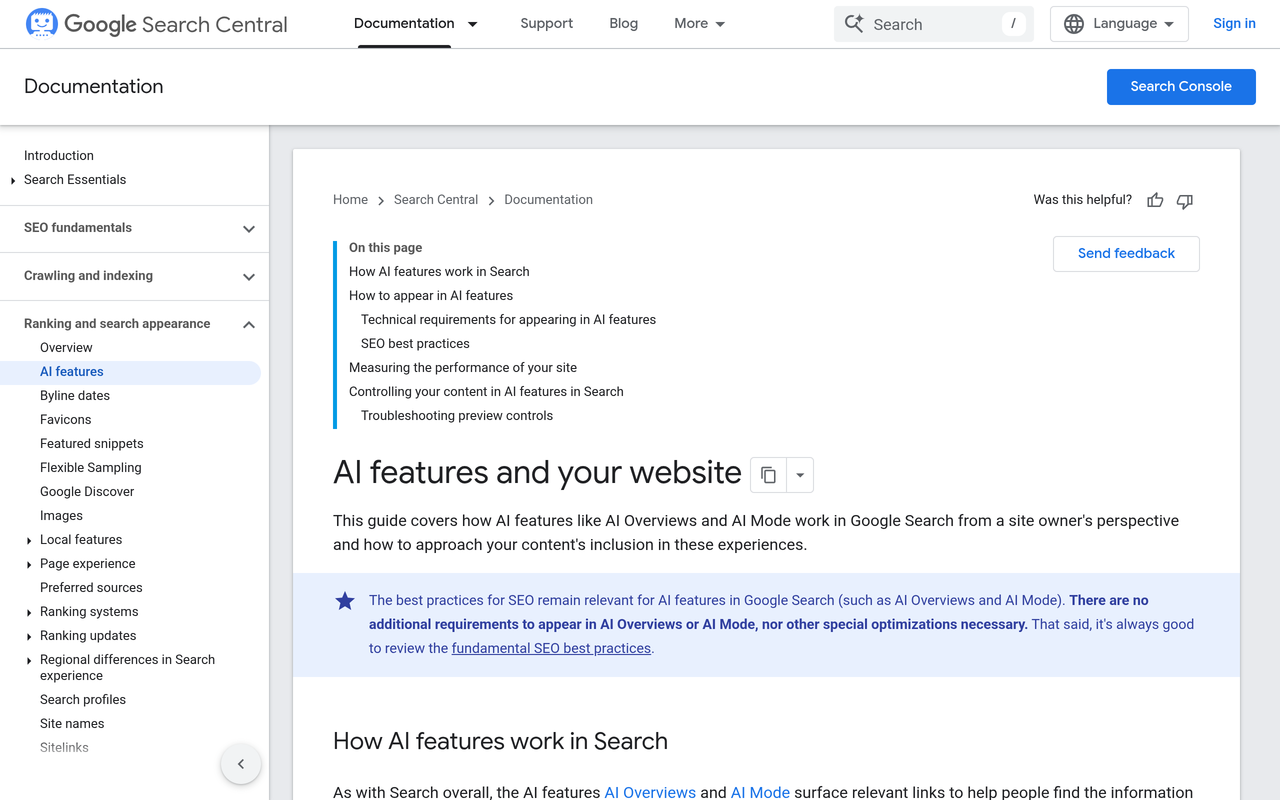
- Google says there are no extra requirements for AI Overviews or AI Mode beyond normal Search eligibility, so ecommerce SEO for AI search starts with clean product data and indexable pages.
- ChatGPT Shopping takes a product feed with one row per purchasable item or variant. A feed that disagrees with your product page is the first thing to fix.
- Reviews and third-party mentions are inputs AI engines use to judge products. Collect them on your pages and earn them elsewhere.
- Build comparison and 'best for' pages that state who a product suits, with specs in tables.
- Test a fixed set of category prompts on every engine, record named brands and cited pages, and re-run after each change.
What do AI engines need from an online store?
AI shopping answers draw on three kinds of input: your product data (feeds and structured data), your crawlable pages, and what other sites say about you. Semrush describes the same split in its Semrush ecommerce AI SEO guide, as checked November 2026: agents find products by crawling pages, reading merchant feeds and drawing on third-party sources such as reviews and editorial mentions.
Shoppers are already using these engines to narrow choices. MarTech, 2026 reports that 43% of U.S. online shoppers used an AI assistant for product research in the past 90 days (Product.ai), and that 53% of AI users mainly use it to compare options and narrow a shortlist (L.E.K. Consulting). Shortlisting is exactly where a store is either named or left out.
Here is how the inputs map to the work:
| What the engine needs | Where it comes from | What you fix |
|---|---|---|
| Price, availability, identifiers | Merchant Center feed, OpenAI product feed, Product markup | Make feed and page agree; refresh often |
| Readable product details | Your HTML | Put price, stock and specs in the initial HTML |
| Proof the product is good | Reviews, forums, editorial, affiliate pages | Collect reviews; earn outside mentions |
| Answers to 'which one should I buy' | Comparison and guide pages | Publish pages that name use cases and trade-offs |
Semrush's general ecommerce SEO guide gives eight broad steps. The rest of this post narrows to what a store has to supply for an AI answer, and how to prove it worked. For the Black Friday angle see our Black Friday AI search checklist; for the ChatGPT-specific route see getting products into ChatGPT Shopping.
Step 1: How do you check AI crawlers can read your product pages?
Start with access, because nothing else counts if engines see an empty page. Semrush warns that many stores load price, availability and reviews with client-side JavaScript, and that AI crawlers may not execute it, leaving them an empty page shell (Semrush, as checked November 2026).
Google's own merchant listing documentation points the same way: it recommends putting Product structured data in the initial HTML for best results (Google Search Central, as checked November 2026).
- Open a product URL, view source (not the inspector), and search for the price, the stock status and the first review. If they are missing, a crawler that skips JavaScript will not see them.
- Run the URL through the free AI Crawler Checker. It shows whether GPTBot, OAI-SearchBot, ClaudeBot, PerplexityBot and Google AI can reach the site, and generates a fixed robots.txt.
- Decide training and retrieval bots separately. Blocking a retrieval bot can remove you from live answers; see AI bot policy: training vs retrieval crawlers.
- If your theme renders content late, follow the fixes in Next.js content not in indexed HTML.
Then run the free AI SEO Checker on a top product page and a top category page. It reports whether ChatGPT, Claude, Perplexity and Google's AI Overviews can read and quote the page.
Step 2: How do you set up product feeds for AI shopping?
Feeds are the most store-specific lever. Google's documentation is direct about what it does not require:
"There are no additional requirements to appear in AI Overviews or AI Mode" (Google Search Central, as checked November 2026).
For shopping, the work is therefore the same product data you already send to Google: Merchant Center plus on-page Product markup.
Google: Merchant Center and Product markup
Keep the feed and the page identical on price, availability, brand and identifiers. Google's documentation on sharing product data describes using structured data and Merchant Center together. A mismatch between the two is a common cause of disapprovals and, in practice, of engines quoting stale prices. Use the free Schema Markup Generator to build and validate the Product JSON-LD, and read which schema types to pick.
Nudgenow reports that Google added six optional product fields for AI shopping: question_and_answer, related_product, document_link, item_group_title, variant_option and popularity_rank (Nudgenow, as checked November 2026). That is a secondary report, so confirm the fields in Merchant Center Help before you rely on them. Filling a question_and_answer field with the questions your support team already gets is a cheap test.
OpenAI: the ChatGPT product feed
OpenAI's feed specification asks for one row per purchasable item or variant, a stable unique item_id and a plain title that includes the chosen variant (OpenAI developer documentation, as checked November 2026). Alhena lists nine required fields: item_id, title, description, url, brand, seller_name, image_url, availability and price (Alhena, as checked November 2026). Check the current list against OpenAI's page, as it changes.
Use a feed audit like this before submitting:
| Check | Pass condition |
|---|---|
| One row per variant | Size and colour variants each have their own item_id |
| Plain text titles | No promotional text, no all-caps, no emoji |
| Price and stock match the page | Spot-check 20 SKUs by hand |
| Brand and identifiers | Brand present; GTIN or MPN where one exists |
| Image URL loads | Returns 200, not a redirect to a login or consent wall |
Step 3: How do reviews affect whether AI names your products?
Reviews serve two jobs: they give engines language about real use, and they give third-party proof. Semrush lists reviews on third-party sites, Reddit threads that endorse products and affiliate content as inputs that inform AI responses (Semrush, as checked November 2026). The size of the effect is not settled: one vendor benchmark claims stores with 50 or more reviews per product average 2.4 times more AI citations (Naridon, as checked November 2026), but it is a vendor's own analysis, so treat it as a direction rather than a target.
What to do:
- Mark up review data with Review and AggregateRating inside the Product markup, and only for reviews that are visible on the page.
- Ask for detailed reviews. A line like 'works on thick hair, held a curl for a day' gives an engine something to match against a prompt; a five-star rating alone does not.
- Put the review text in the initial HTML, not behind a 'load more' script.
- Find where engines already cite your category. Reddit, review sites and editorial lists often outrank brand pages in citations; see whether Reddit is declining in AI results and which mentions correlate with AI visibility.
- Answer reviews honestly, including negative ones. Engines summarise sentiment, and unresolved complaints repeat; see how to fix negative brand sentiment in AI answers.
Step 4: Which comparison pages help AI recommend your products?
Shoppers use AI to compare. According to L.E.K. Consulting as reported by MarTech, 2026, 53% of AI users primarily use it to compare options and narrow a short list. Prompts contain 'best', 'vs', 'for' and 'under $X', and an engine needs a page that answers each form. Backlinko's guide to the same problem also advises grouping prompts by persona, such as hot sleepers or budget-conscious buyers (Backlinko, as checked November 2026).
Build four page types:
- Category buying guides. 'How to choose a [product]' with the three or four decisions that matter, each followed by the products that fit.
- Use-case pages. 'Best [product] for [person or situation]'. Name who it is not for. That sentence is often the one an engine quotes.
- Comparison pages. Your product against two or three real alternatives, specs in an HTML table, same attributes in every row, a dated 'last checked' line.
- Product FAQs. Sizing, compatibility, returns and warranty, written as questions with a short direct answer first.
Keep each answer self-contained and name the product in full, so a passage still makes sense when an engine lifts it out of the page. The free Content AI-Readiness Grader shows which passages on a page are quotable and which are weak. For the wider pattern, see query fan-out, which explains why one buyer prompt triggers several sub-searches your pages must cover.
Which prompts should you test per ecommerce category?
Prompt sets are where most store teams skip work. Use the table below as a starting grid. Replace brackets with your own category, and keep wording identical between runs so changes reflect your site, not your phrasing. The free AI Prompt Finder suggests real questions in your category, and how to choose prompts to track covers volume.
| Category | Discovery prompt | Comparison prompt | Constraint prompt |
|---|---|---|---|
| Apparel and footwear | Best [running shoes] for [flat feet] | [Brand A] vs [Brand B] [trail shoes] | [Rain jacket] under $150 that packs small |
| Beauty and personal care | Best [moisturiser] for [dry, sensitive skin] | Is [Brand A] better than [Brand B] [serum] | [Sunscreen] without fragrance, ships to [country] |
| Home and furniture | Best [sofa] for [small apartments] | [Brand A] vs [Brand B] [mattress] for side sleepers | [Desk] under $400 that seats two monitors |
| Electronics | Best [laptop] for [video editing] | [Model A] vs [Model B] | [Headphones] with [feature] under $200 |
| Food, grocery and pet | Best [dog food] for [sensitive stomachs] | [Brand A] vs [Brand B] [protein powder] | [Snack] that is nut-free and vegan |
| Health and wellness | Best [supplement type] for [goal] | [Brand A] alternatives | [Product] with third-party testing |
Per category, write 15 to 25 prompts: about a third discovery, a third comparison and a third constraint. Add a branded prompt ('Is [your brand] good for [use case]?') to check how engines describe you once they know the name. Category-specific industry pages are at Noma for ecommerce, and how AI shopping recommendations differ by model explains why you must test each engine rather than one.
How do you verify that your ecommerce SEO changes worked?
AI answers vary run to run, so a single check proves nothing. Use this protocol:
- Fix the prompt set. Freeze 20 prompts for one category and write them down.
- Record a baseline. For each prompt and engine, log whether your brand is named, its position in the list, which competitors are named and which URLs are cited. Run each prompt at least three times and record how many of the runs name you.
- Change one input at a time. For example, correct the feed, or publish one comparison page. Note the date.
- Re-run after engines have had time to recrawl. A feed fix may show quickly; an earned mention takes longer. Compare mention rate, not single answers.
- Check the cited page. If a competitor is named, open the URL the engine cited and see what it has that your page lacks.
- Tie to revenue separately. Add referral and landing-page reporting in analytics; see AI search traffic analytics and logs and measuring AI influence beyond referrals.
For a first pass without a tool, the free brand audit asks ChatGPT, Perplexity and Gemini 10 questions your buyers ask and shows whether your brand is named. It needs no card and no signup. For the manual method in detail, read how to check if ChatGPT recommends your business.
What mistakes keep stores out of AI answers?
- Feed and page disagree. Price or stock differs, so the engine has two answers and may trust neither.
- Content that only exists after JavaScript runs. Reviews, specs and prices invisible to crawlers.
- Thin category pages. A grid of products and no text on who each suits.
- Testing one engine. Engines name different brands for the same prompt; see whether AI engines name the same top brand.
- Judging by one answer. Without repeated runs you are measuring noise.
- Ignoring off-site proof. If the cited sources in your category are review sites and forums, your own pages alone will not move the result.
Where does Noma fit?
Noma by Nurdd is an answer engine optimisation platform that asks 13 AI engines, including ChatGPT, Gemini, Perplexity and Claude, the questions a store's buyers ask, every day. It shows where your brand is named, where competitors are named instead, and which pages the answers draw on, so you can see whether a feed fix, review push or comparison page changed the result. Book a demo at nomahq.app/demo or start the 3-day free trial at platform.nomahq.app/signup.
The trial takes a card at signup so billing can start on day 3; cancel before then and nothing is charged. Plans are listed on the pricing page.
A 30-day plan for a store
| Week | Task | Output |
|---|---|---|
| 1 | Crawler and HTML check; feed audit; baseline prompt run | Fix list and baseline mention rate |
| 2 | Correct feed and Product markup; add visible review text | Feed and page agree on 20 sampled SKUs |
| 3 | Publish two comparison or use-case pages and a product FAQ | Pages with tables and direct answers |
| 4 | Re-run the same prompts; compare mention rate and cited URLs | Before and after table; next category chosen |
For a longer sequence, see AEO in 30 days and the ecommerce AI shopping resource.
How we researched this
We reviewed Google Search Central and OpenAI developer documentation, vendor and industry publications on ecommerce AI SEO, and aggregated shopping statistics from MarTech. Facts, figures and page content were checked on 2026-11-21. Statistics that come from a vendor's own analysis are labelled as such. We did not run a store experiment for this post, so the prompt grid and protocol are a method for you to run, not results.
What to do next
Pick one category, freeze 20 prompts, record a baseline and fix the feed-to-page mismatches first. To track the same prompts daily across engines, book a demo or start the free trial.
See what AI engines say about your brand
Free · no account · or start a 3-day trial
Questions people ask
How do I get my online store recommended by AI search?
Make product data accurate and identical across your feed, Product markup and page. Make sure crawlers can read price, stock and reviews in the initial HTML, then add reviews, outside mentions and comparison pages. Test a fixed set of category prompts on each engine and track how often you are named.
What ecommerce SEO changes help AI visibility?
The changes with the clearest support are consistent feeds and Product structured data, crawlable product pages, visible review text, and comparison or use-case pages with specs in tables. Google says AI Overviews and AI Mode have no extra requirements beyond normal Search eligibility, so standard SEO hygiene still applies.
Do I need a product feed for ChatGPT Shopping?
OpenAI's specification describes submitting a product feed with one row per purchasable item or variant. Check OpenAI's current documentation for who is eligible and how to apply, as the process changes. A clean feed is also useful for Google Merchant Center.
Do reviews help AI engines recommend products?
Reviews are one of the third-party inputs Semrush says AI engines draw on, along with forum threads and editorial mentions. Detailed, visible reviews give engines specific language to match to a prompt. How much they move rankings is not firmly established, so measure it on your own prompts.
Which prompts should I test for my store?
Test discovery prompts ('best X for Y'), comparison prompts ('A vs B') and constraint prompts ('X under $150 that does Z') for each category, plus one branded prompt. Use 15 to 25 prompts per category and keep the wording fixed between runs.
How do I know if my changes worked?
Record a baseline of named brands and cited URLs per prompt and engine, run each prompt several times, change one input, and re-run later. Compare mention rate across runs rather than single answers, because AI answers vary.