
Amazon listings in AI shopping answers work as one input among several. The title, bullets, attributes, images, reviews and Q&A on your product detail page (PDP) can shape what an assistant says, and so can review sites, your own brand pages and retailer feeds. To get a product described correctly, audit the listing's facts, then run the same prompts across engines and log every wrong answer.
Key takeaways
- No engine publishes a formula for how it picks or describes a listing. Treat any guarantee as a guess and test instead.
- Fix facts before copy: attributes, dimensions, materials, compatibility, certifications and variant names must match your own site and packaging.
- Run a fixed set of 10 prompts across engines, several times each, and record the answer, the claim and the cited source.
- Sort each wrong fact by where it likely comes from (listing, reviews, Q&A, brand site, third-party page) so you fix the source, not the symptom.
- You do not need a vendor's Amazon integration to do this. Seller Central edits and a spreadsheet are enough to start. Tracking is what makes it repeatable.
How do AI shopping answers use Amazon product listings?
They use them in two different ways, and mixing the two up causes most bad audits.
Amazon's own assistant reads Amazon data. Amazon's UK seller help, as reported by Mr Prime, September 2026, says the assistant is trained on "our extensive product catalogue, customer reviews, community Q&As, product detail pages and information from across the web". The assistant, originally called Rufus, was rebranded Alexa for Shopping in May 2026, according to SellerApp, 2026. The same page reports 274 million daily queries by late 2024 and appearances in 38% of Amazon shopping sessions on Black Friday 2025.
Outside assistants such as ChatGPT and Gemini do not read your Seller Central account. They see what is public: the listing page, third-party reviews, your site, structured product data and retailer feeds. OpenAI's help page on shopping says ChatGPT can show product options when a question suggests shopping intent (OpenAI Help Center, 2026). Guidance summarised by paz.ai, October 2026 says product selection can draw on structured metadata from first-party and third-party providers and other third-party content.
So the Amazon PDP is a high-authority page that many answers touch, but rarely the only one. A wrong fact in an answer can come from the listing, from a reviewer, or from a page you never edit.
What nobody outside Amazon can tell you
Amazon has published no specification for how a listing is selected or cited in AI answers, a point made plainly by Seller Shorts, 2026. That is why this guide checks facts and measures outputs. It does not promise ranking tricks.
Do the answers actually match what sells on Amazon?
Not reliably. SmartScout, November 2026 asked ChatGPT, Amazon's assistant and Gemini to name the best product in eight categories and compared the first three brands in each answer with Amazon's top three by revenue.
| Assistant | Top sellers matched (of 24) | Share |
|---|---|---|
| ChatGPT | 13 | 54% |
| Amazon's assistant | 13 | 54% |
| Gemini | 11 | 46% |
SmartScout also reported that none of the three named a top-selling mattress brand. For a brand, the lesson is narrow and useful: sales rank on Amazon does not guarantee a mention. Answers lean on other evidence too, so you need to measure your own product's position per prompt and per engine.
What should you check on the Amazon listing itself?
Start with facts an assistant can state wrongly. Open the live page, not Seller Central, because the live page is what gets read. Then work through this table.
| Listing element | What to check | Typical wrong-answer symptom |
|---|---|---|
| Title | Brand, product type, key spec and size in plain words; no keyword stacking | Product described as the wrong type or pack size |
| Attributes (material, size, compatibility, power, age range) | Every applicable field filled and identical to your site and packaging | Answer states a wrong material or says it is not compatible |
| Bullets and description | Claims are specific, true and match the attributes; intended use stated | Vague or contradictory use cases |
| Variants | Variation names, parent-child grouping, old product names retired | Discontinued model or wrong colour/size cited |
| A+ content and images | Comparison chart, alt text and image text agree with the bullets | Spec in image differs from spec in text |
| Reviews and Q&A | Recurring complaints, unanswered questions, any false claims repeated by reviewers | Answer repeats a reviewer's mistake as fact |
| Price, availability, certifications | Current and consistent with other channels | Stale price, "out of stock" or missing certification |
Amazon's own listing quality tooling in Seller Central flags missing attributes, so use it as a starting list, but do not treat a completeness score as proof an assistant will describe you well.
Write down your source of truth first
Before testing, create one sheet per product with the facts that must never be wrong: name, model, dimensions, materials, certifications, warranty, compatible devices, what is in the box. Every comparison below is against that sheet. Our brand fact block guide shows how to publish the same facts on your own site so outside engines can quote them.
How do I get my Amazon products recommended by ChatGPT?
You cannot buy or request a ChatGPT recommendation through Amazon. OpenAI says product results are chosen on relevance to the request, as reported by Top Growth Marketing, 2026, and ChatGPT ads appear separately. What you can control is the evidence ChatGPT can find about the product:
- Make the Amazon listing accurate and specific, using the table above.
- Publish the same facts on your own product page with Product schema. Our schema generator builds and validates the JSON-LD.
- Check that retrieval crawlers can reach your site with the AI crawler checker. A blocked bot cannot read your page.
- Earn coverage on the review and comparison pages assistants lean on. SmartScout noted that answers tend to follow the brands review sites test.
- Test and re-test. Read how to rank in ChatGPT: 9 steps for the wider method.
For Google, Merchant Center data feeds the Shopping Graph that AI Mode uses, per Channable, 2026, which is another reason to keep titles, GTINs, prices and availability consistent across channels. See also why AI shopping recommendations differ by model.
Which prompts should you test across engines?
Use the same set every time so results are comparable. Ten prompts cover most buyer stages. Replace the brackets with your category and product.
| # | Prompt | What it tests |
|---|---|---|
| 1 | What is the best [category] for [use case]? | Category recommendation |
| 2 | Best [category] under [price] | Price-bound shortlist |
| 3 | [Brand] [product] vs [competitor product] | Head-to-head facts |
| 4 | Is [brand] [product] worth buying? | Sentiment and review echo |
| 5 | What are the specs of [brand] [model]? | Attribute accuracy |
| 6 | Is [brand] [model] compatible with [device]? | Compatibility claims |
| 7 | What size or version of [brand] [product] should I buy? | Variant confusion |
| 8 | What are common problems with [brand] [product]? | Negative claims and their source |
| 9 | Where can I buy [brand] [product]? | Retailer and link mix |
| 10 | Alternatives to [competitor] for [use case] | Whether you appear when a rival is named |
The AI prompt finder helps you swap in wording buyers really use. For picking and weighting prompts, see how to choose prompts to track.
Run rules that keep the test honest
- Run each prompt at least three times per engine. Answers vary, as our note on AI citation stability explains.
- Use a logged-out or clean session so personalisation does not skew results.
- Include Amazon's own assistant plus at least ChatGPT, Gemini and Perplexity.
- Record the date, engine, exact prompt and full answer text.
How do you log wrong facts so you can fix them?
A wrong fact is only useful if you can trace it. Log one row per error with these columns.
| Column | Example entry |
|---|---|
| Date and engine | 2026-11-25, ChatGPT |
| Prompt number | 6 |
| Claim made | "Not compatible with [device]" |
| Truth (from source sheet) | Compatible, listed in attributes |
| Cited or likely source | Reviewer comment, Amazon Q&A, third-party review |
| Severity | High (purchase blocker), medium, low |
| Fix and owner | Answer Q&A, update attribute, contact publisher |
| Retest date | Seven days later |
Then route each error by source:
| Likely source | Fix |
|---|---|
| Your Amazon attributes, bullets or A+ content | Correct in Seller Central and keep your own site identical |
| Reviews or community Q&A | Answer questions accurately as the seller; report policy-breaking reviews through Seller Central |
| Your own site | Update the page and add a clear fact block and schema |
| Third-party page | Ask the publisher for a correction, or publish a clearer page for the engine to find |
| No source shown | Strengthen your public facts and keep testing; see how to fact-check what AI says about your brand |
For a runbook covering approvals and escalation, use the AI correction runbook.
Do you need a vendor's Amazon integration?
Not to start. Profound's announcement (as checked on 25 November 2026) describes an integration that connects to Seller Central so listings can be updated from the platform, with an assistant asking before it publishes and an agent template that checks a listing and drafts copy within Amazon's character limits. It says the integration is switched on by contacting the Profound team.
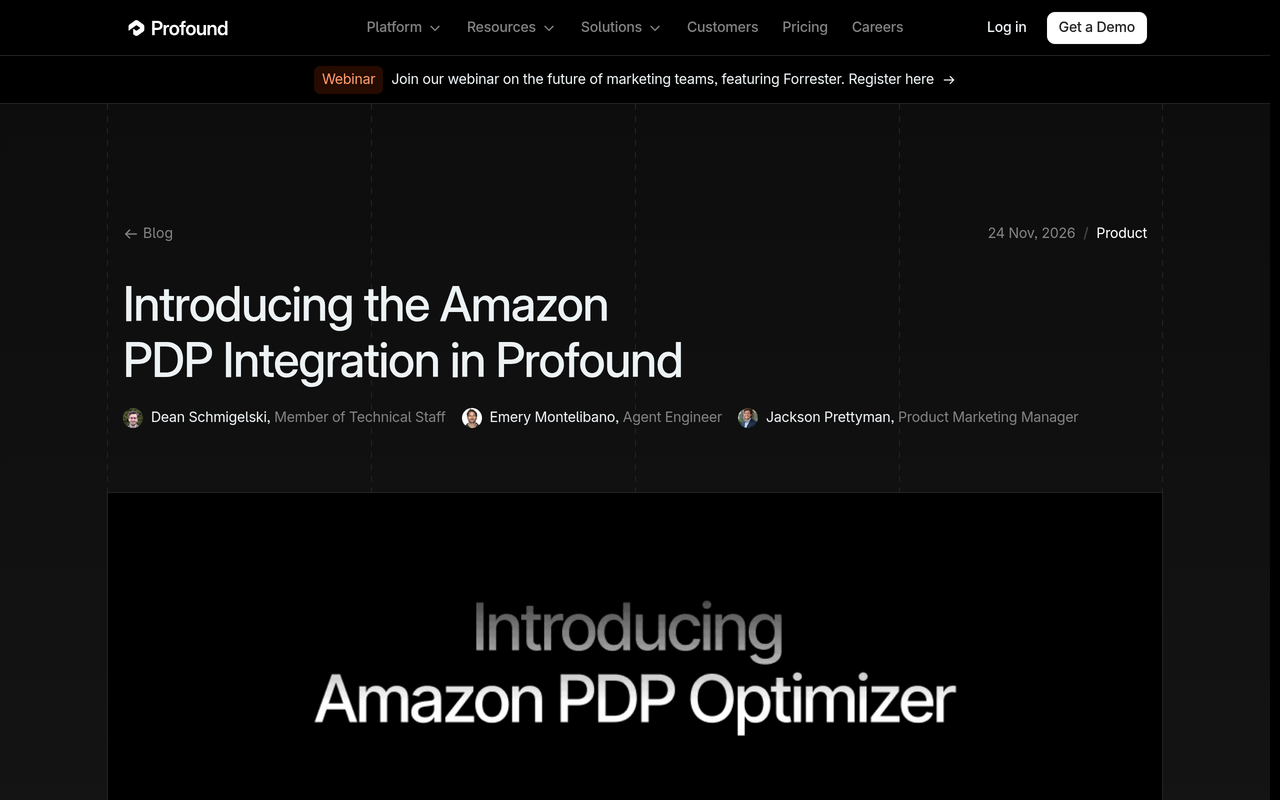
That is a write-access workflow. It speeds up edits, but it does not tell you whether an engine describes your product correctly. Whatever tool does the editing, the checks stay the same: a source-of-truth sheet, a fixed prompt set and a wrong-fact log. Edits made by hand in Seller Central, or by any tool, should be judged by the same retest.
Where Noma fits
Noma by Nurdd asks 13 AI engines, including ChatGPT, Gemini, Perplexity and Claude, the questions your buyers ask, every day. It shows where your brand is named, where competitors are named instead, and which pages the answers draw on. For this problem, that means your prompt set runs on a schedule, so you can see whether a listing fix changed what engines say.
See it on your own brand: book a demo or start the 3-day free trial. A card is taken at signup so billing can start on day 3; cancel before then and nothing is charged.
For a quick first look without setup, the AI visibility tool page explains what to expect from a checker, and the free AI visibility checker shows whether ChatGPT, Gemini, Claude and Perplexity name your brand and who they name instead.
A worked example: scoring one product
Say you sell one product and test the 10 prompts on four engines, three runs each. That is 120 answers. Count three things per engine: runs where your brand appears, runs where a fact is wrong, and runs where the cited source is your own listing or site.
Compare your mention rate with the SmartScout benchmark only as context: that study found about half of Amazon's top sellers named by each assistant, so a mention rate near 50% on category prompts is not alarming by itself. A wrong fact on prompts 5, 6 or 7 matters more than a missing mention on prompt 1, because it can stop a purchase. Rank fixes by severity first, volume second.
Common mistakes
- Rewriting copy before checking attributes. Structured fields are where factual errors usually start.
- Testing once. One answer is an anecdote.
- Treating the Amazon assistant as a proxy for ChatGPT or Gemini. They read different evidence.
- Ignoring reviews. A repeated customer claim can surface as fact.
- Leaving the old product name live after a rename.
How we researched this
We reviewed Amazon seller guidance as quoted by agency publishers, OpenAI's shopping help page, a public November 2026 SmartScout study, Profound's integration announcement and Google Merchant Center explainers. Facts, figures and product details were checked on 2026-11-25. We did not run our own tests for this post, and the prompt set and log are a method, not results.
What to do next
Build the source-of-truth sheet for your top product today, run the 10 prompts, and log every error. Then make it a daily measurement rather than a one-off. Book a demo to see it on your brand, or start the free trial.
See what AI engines say about your brand
Free AI visibility checker · no account · or start a 3-day trial
Questions people ask
How do I get my Amazon products recommended by ChatGPT?
You cannot request a recommendation, because OpenAI says results are chosen on relevance. Make the Amazon listing accurate, publish the same facts with Product schema on your own site, make sure retrieval crawlers can reach it, and earn coverage on review pages. Then test with a fixed prompt set to see what ChatGPT says.
How do AI shopping answers use Amazon product listings?
Amazon's own assistant is trained on its catalogue, detail pages, reviews, community Q&As and web information, according to Amazon's UK seller help as quoted by Mr Prime. Outside assistants such as ChatGPT and Gemini read only public material, which can include the listing page, reviews and your own site.
Do I need Seller Central access to test what AI says about my listing?
No. Testing needs only the public engines and a source-of-truth sheet of your product facts. Seller Central is where you make the fixes once you know which fact is wrong and where it came from.
How many times should I run each prompt?
Run each prompt at least three times per engine, because answers vary between runs. Record the date, engine, prompt and full answer so you can compare weeks fairly.
Why does an AI engine state a wrong spec for my product?
The error usually traces to a listing attribute, a reviewer's claim, a community Q&A answer, an old product name or a third-party page. Log the claim, find the likely source and fix it there, then retest a week later.
Can Noma by Nurdd track my products in AI shopping answers?
Noma by Nurdd asks 13 AI engines, including ChatGPT, Gemini, Perplexity and Claude, the questions your buyers ask every day. It shows where your brand is named, where competitors appear instead and which pages the answers draw on. You can try it with the 3-day free trial.