

AI Mode rank tracking means recording whether Google's AI Mode names your brand, cites your page or links to it for a fixed set of queries, since it shows an answer, not a numbered list. Run each query three times, log what appears, and compare it with your Google rank. Noma's free checker does the comparison.
Key takeaways
- AI Mode shows a written answer with links, not ten blue links. "Rank" has to be rebuilt from three things: mentioned in the text, cited as a source, and linked.
- Google says position in AI Mode follows the same methodology as a normal results page, but Search Console's dedicated AI report shows impressions only, with no position, clicks or queries.
- One check proves little. A published study found only 9.2% URL overlap between repeat AI Mode searches for the same query, so run every query at least three times.
- Track a fixed set of 20 to 30 queries on a schedule, and score each answer on the same sheet every time.
- The useful number is the gap between your Google rank and your AI Mode presence, query by query. Each gap type has a different fix.
How is AI Mode different from a blue-link ranking?
A classic results page gives each URL a position. AI Mode writes an answer, and attaches links to the pages that support it. Google's documentation says both AI Overviews and AI Mode may use a "query fan-out" technique, Google Search Central: several related searches across subtopics, which lets Google show a wider and more diverse set of links than a classic search.
That has three consequences for anyone trying to track a position.
- There is no single query. One question becomes several behind the scenes, so the pages that appear may not rank for the words you typed.
- Follow-ups are new queries. Google's Search Console help says a follow-up question in AI Mode is essentially a new query, with its own impressions, position and clicks (Google Search Console Help).
- The answer itself varies. The same prompt can return different text and different sources minutes apart.
The published numbers show how far AI Mode sits from the blue links:
| Finding | Figure | Source |
|---|---|---|
| AI Mode URLs that matched the organic top 10 for the same query | 14% (21.9% at domain level) | Search Engine Journal, 2025, reporting an SE Ranking study |
| Queries where AI Mode had zero overlap with organic URLs | 17.9% | Same study |
| URL overlap across repeat AI Mode searches for one query | 9.2% | Same study |
| Citation overlap between AI Overviews and AI Mode | 13.7% | Ahrefs, December 2025 (730,000 response pairs) |
| AI Mode answer length compared with AI Overviews | About 4x longer | Same Ahrefs study |
Two practical points follow. Your Google rank does not predict AI Mode presence, and an AI Overviews check does not tell you about AI Mode. They are separate surfaces, so each needs its own check. For the background on what each surface tests, see AI Mode SEO checking tools: what each can test.
What can you measure as a "rank" in AI Mode?
Treat "rank" as a family of measures. Each answers a different question, and each has a limit you should state when you report it.
| Measure | What it records | How to get it | Limit |
|---|---|---|---|
| Mention | Your brand name appears in the answer text | Manual check or a prompt tracker | Can happen with no link to you |
| Citation | A page on your domain is among the sources shown | Manual check or a tracker | A source panel can list pages the text never uses |
| Linked source | A visible link to your URL in the answer | Manual check | Only a link can send a visit |
| Order of appearance | Where your brand sits among those named | Manual score (1st, 2nd, 3rd named) | Order is not a Google-published position |
| Search Console position | Google's own position value for your URL | Performance report, Web search type | AI Mode data is mixed in with classic results |
| Search Console AI impressions | Times a link to your site was shown in AI Overviews or AI Mode | Generative AI performance report | Impressions only, by page, country, date and device |
The difference between the first two rows matters more than most reports admit. A mention shapes what a buyer believes. A citation gives them somewhere to click. Our note on citation versus brand mention covers why each calls for different work.
What does Search Console show for AI Mode?
Search Console is the only first-party source, so start there. It gives you two views, and neither is a rank tracker.
The classic Performance report
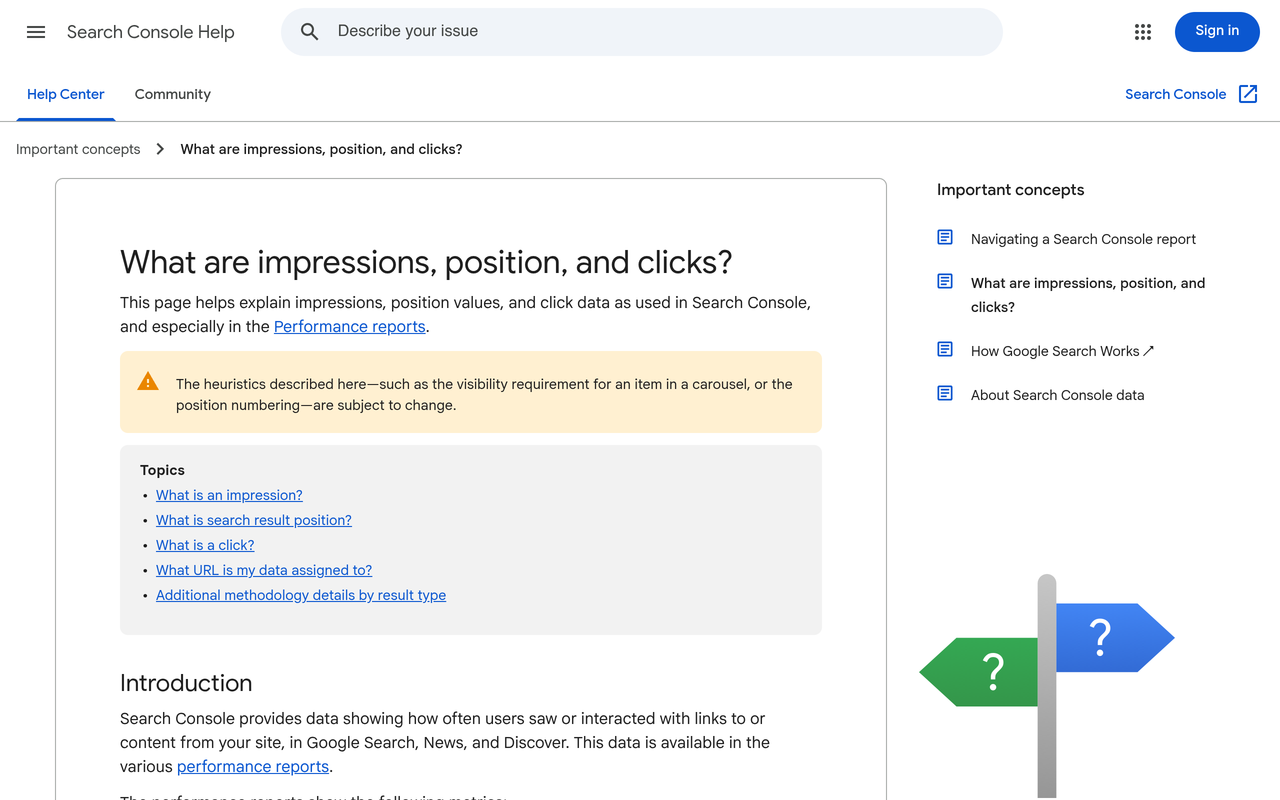
Google's guidance says sites appearing in AI features are included in overall search traffic and reported in the Performance report under the "Web" search type (Google Search Central). For AI Mode, Google's help page says a click on an external link counts as a click, standard impression rules apply, and position follows the "same methodology as a Google Search results page", Google Search Console Help. The catch: you cannot filter this report to AI Mode only, so AI Mode clicks and impressions are blended with everything else.
The Generative AI performance report
On 3 June 2026 Google announced dedicated generative AI performance reports, and on 31 August 2026 they were rolled out to all websites worldwide, Search Engine Journal, August 2026. The Search report covers AI Overviews and AI Mode impressions by page, country, date and device. Sites without enough AI impressions may not see it.
At launch, CrawlRaven, June 2026, noted the report has no click data, no position metric inside the AI answer, and no query-level breakdown. Check your own property to see whether that has changed. If it has not, the report tells you which pages are being shown, not which prompts triggered them. That is why a manual or tool-based prompt check still has to sit alongside it.
One more setting to know about: Google's Search generative AI control lets a site opt out of AI Overviews, AI Mode and generative features in Discover, and Google says it is not used as a ranking or inclusion signal for other parts of Search (Google Search Console Help). If your AI Mode presence is zero, confirm nobody switched it off.
How do I check my AI Mode position by hand?
This method uses only a browser and a spreadsheet. It takes about two hours for the first run and under an hour after that.
- Write 20 to 30 buyer queries. Use unbranded questions a customer would ask, not your brand name. Split them into category ("best X for Y"), comparison ("X vs Y") and problem ("how do I fix Z"). The free AI prompt finder and the guide to choosing prompts that measure something help here.
- Fix the conditions. Same country, same language, same device, signed out or in a clean profile. Write them at the top of the sheet. Personalisation changes answers.
- Record your Google rank first. Search the query in classic results and note your best organic position, or "not in top 20".
- Run the query in AI Mode three times. Open a fresh session each time. Save the answer text and the source links.
- Score each run. Mentioned in text (yes/no), cited (yes/no), linked (yes/no), order named (1, 2, 3 or none), and which rivals were named.
- Roll up per query. Count the runs, not the queries: if you were cited in 2 of 3 runs, your citation rate for that query is 67%.
- Repeat on a schedule. Weekly or fortnightly, with the same queries and the same conditions.
A worked example of the scoring sheet
The numbers below are invented to show the arithmetic, not real results. Suppose you track 20 queries, three runs each, which gives 60 answers.
| Measure | Count | Rate (out of 60 answers) |
|---|---|---|
| Brand mentioned in text | 18 | 30% |
| Domain cited as a source | 21 | 35% |
| Visible link to your URL | 15 | 25% |
| Named first among brands | 6 | 10% |
Always state the numerator and denominator, as in "cited in 21 of 60 answers". A percentage without its denominator cannot be checked, and a quoted figure that cannot be checked is not something an AI engine or a finance director will trust. Our AI visibility measurement standard sets out the same rule and the margin-of-error test.
Why three runs? Because of the 9.2% repeat-search overlap above. If the sources change that much between identical searches, a single check is an anecdote. The same logic applies across engines; AI citation stability covers how many runs to sample.
Mistakes that make AI Mode data useless
- Checking while signed in to a personalised account, then comparing with last month's signed-out check.
- Changing the wording of a query between runs.
- Counting a mention as a win when the answer describes you wrongly or names you as the weaker option.
- Treating "order named" as a rank that Google published. It is your own scoring convention.
- Reporting a change after one run.
How do I compare my Google rank with my AI Mode presence?
This is the comparison that most guides skip, and it is where the decisions are. For each query, put the Google position next to the AI Mode result and read the gap.
| Google rank | AI Mode result | What it usually means | First fix |
|---|---|---|---|
| Top 10 | Cited and mentioned | Working on both surfaces | Protect the page; keep facts current |
| Top 10 | Absent | The page ranks but does not answer the fanned-out sub-questions | Add direct answers, comparison tables and dated facts; see the AI Mode content checklist |
| Not in top 20 | Cited | AI Mode found the page through a sub-query, or a third party describes you well | Note which sub-topic; build a page that targets it directly |
| Not in top 20 | Absent | No visibility on either surface | Treat as a content and authority gap, not an AI problem |
| Any | Rival named, you not | Engine prefers another entity for this question | Read the rival's cited sources and earn coverage there |
| Any | Mentioned, no link | Engine knows you from elsewhere | Strengthen the page that should be the source |
Noma's free Google Rank vs AI Mode Checker puts your Google ranking next to what Google AI Overviews and AI Mode cite for the same query, and shows who AI recommends instead of you. Use it for the first pass on your most valuable queries, then keep the manual sheet for the wider set.
Is there a tool to check if my site appears in AI Mode?
Yes, and the right one depends on how often you need the answer.
| Option | Good for | Cannot do |
|---|---|---|
| Manual sheet (above) | 20 to 30 queries, a quarterly or monthly baseline | Scale, daily history |
| Search Console Generative AI report | Which of your pages Google showed in AI features, by country and date | Prompt-level detail, rivals, position (as reported at launch) |
| Noma free rank vs AI Mode checker | One query at a time: Google rank beside AI cited sources and rivals | Scheduled tracking of a large prompt set |
| Scheduled prompt monitoring | Daily history on a fixed prompt set, across engines | Replace first-party Search Console data |
Whichever you use, check the same four things before trusting a number: does it repeat each prompt, does it record cited URLs and not just brand names, does it hold country and language constant, and does it show you the saved answer so you can verify it? The AEO tool buyer's checklist has a fuller test plan.
Where Noma fits
Noma by Nurdd is an answer engine optimisation platform that asks 13 AI engines, including ChatGPT, Gemini, Perplexity and Claude, the questions a brand's buyers ask, every day. For each engine it reports visibility, position and sentiment, lists the sources each answer cites, and shows where competitors are named instead. That is the scheduled version of the manual sheet in this guide, built on a fixed prompt set.
See it on your own brand: book a demo or start the 3-day free trial. A card is taken at signup so billing can start on day 3; cancel before then and nothing is charged.
How often should I re-check, and what counts as a real change?
Weekly is enough for most teams, daily if a launch or a correction is under way. Compare like with like: same queries, same conditions, same number of runs. Call a change real only when it holds across two consecutive rounds and exceeds the run-to-run swing you saw in your own baseline. With 60 answers per round, a move of one or two answers is noise. A move from 21 to 36 is worth investigating.
When the gap table points to a page, change the page, then re-run the same sheet. Also check crawl access with the free AI crawler checker, since a CDN rule that blocks Googlebot or other bots can remove you from every surface at once.
How we researched this
We reviewed Google's own documentation (Search Central and Search Console Help), the trade press coverage of the Search Console Generative AI report, published studies of AI Mode citation overlap and repeatability, and the pages that currently rank for AI Mode rank tracking, including tracker vendors' landing pages and tool lists. Facts, dates and figures were checked on 2026-11-04. We did not run an original study for this guide, and the scoring example is illustrative, not data.
What to do next
Pick your 20 most valuable buyer queries, run the three-run check this week, and record Google rank beside AI Mode presence. Then try the free rank vs AI Mode checker on your top three. If you want it running daily across engines, book a demo or start the free trial.
See what AI engines say about your brand
Free · no account · or start a 3-day trial
Questions people ask
How do I track my rank in Google AI Mode?
AI Mode shows a written answer with links, so track presence rather than a single position. Run a fixed set of buyer queries three times each, and record whether you are mentioned, cited and linked, plus which rivals appear. Repeat on a schedule under the same conditions and report each rate with its numerator and denominator.
Is there a tool to check if my site appears in AI Mode?
Yes. Noma by Nurdd's free Google Rank vs AI Mode Checker shows your Google ranking next to what Google AI Overviews and AI Mode cite for the same query, and who AI recommends instead of you. Search Console's Generative AI performance report also shows impressions of your pages in AI Mode.
Does Search Console show my AI Mode position?
Google's help page says position in AI Mode follows the same methodology as a Google Search results page, and AI Mode clicks and impressions sit in the Web search type of the Performance report. You cannot filter that report to AI Mode alone. The dedicated Generative AI report shows impressions by page, country, date and device, and was reported at launch to have no position, click or query data.
Does ranking on page one of Google mean I appear in AI Mode?
No. A study reported by Search Engine Journal found only 14% of AI Mode URLs matched the organic top 10 for the same queries, and in 17.9% of queries there was no overlap at all. Compare your Google rank with AI Mode presence query by query.
Why do my AI Mode results change every time I check?
AI Mode generates each answer fresh, and fan-out searches can pull different pages. A published study found only 9.2% URL overlap across repeat searches for the same query. Run each query at least three times and count runs, not single checks.
Are AI Mode and AI Overviews tracked the same way?
They need separate checks. Ahrefs analysed 730,000 response pairs in December 2025 and found only 13.7% citation overlap between AI Overviews and AI Mode. A brand cited in one may be absent from the other.