

Should you let AI agents crawl your website? Usually yes for search and user-triggered bots, a deliberate choice for training crawlers, and a firm policy for agents that act as your customers. AI agent website access is not one setting: it is a decision per bot type, checked in robots.txt, your bot rules and your server logs.
Key takeaways
- Split AI traffic into four types before you write any rule: training crawlers, search crawlers, user-triggered fetchers and agents acting for a customer. Each needs a different answer.
- Robots.txt only governs bots that choose to obey it. ppc.land, March 2026 reports that Google's user-triggered fetchers, including Google-Agent, ignore it.
- Blocking GPTBot does not remove you from ChatGPT search. That is a separate bot, OAI-SearchBot, with its own robots.txt token.
- Pick one stance per bot type: block, allow or serve. "Serve" means making the page or the task easy for the agent to complete.
- Check every rule against your logs. A CDN rule can block a bot that robots.txt allows, and you will not see it in robots.txt.
- Use the free llms.txt generator and validator and the free AI crawler checker for a first pass today.
What are the three ways businesses treat AI agents?
Search Engine Journal columnist Slobodan Manic described three answers from large businesses in October 2026, in a piece republished on No Hacks, November 2026. They map onto the choices a marketing or SEO lead faces on their own site.
- Block. JPMorgan Chase chief executive Jamie Dimon said on the Q3 2026 earnings call: "we are not gonna allow just any agent to come, outside agent to come inside the company." The same article reports that Charles Schwab blocks agents from accounts and that Delta is preventing them from booking tickets.
- Allow, at the customer's risk. Do nothing and the agent signs in with the customer's own login. Bank of America told customers they are responsible for activity that results from sharing a login with an agent.
- Serve. Walmart's Agent Profiles give each agent a dedicated profile within the customer's account, with approval per purchase or a spending limit the customer sets, for example $50, $100 or $200.
Those three cases are about agents that transact. Most sites face an earlier question: which AI bots may read the pages at all. The same three words work for both, so the rest of this guide uses them as a decision list. For the wider picture, see what AEO is.
Which AI bots visit your site, and which rules reach them?
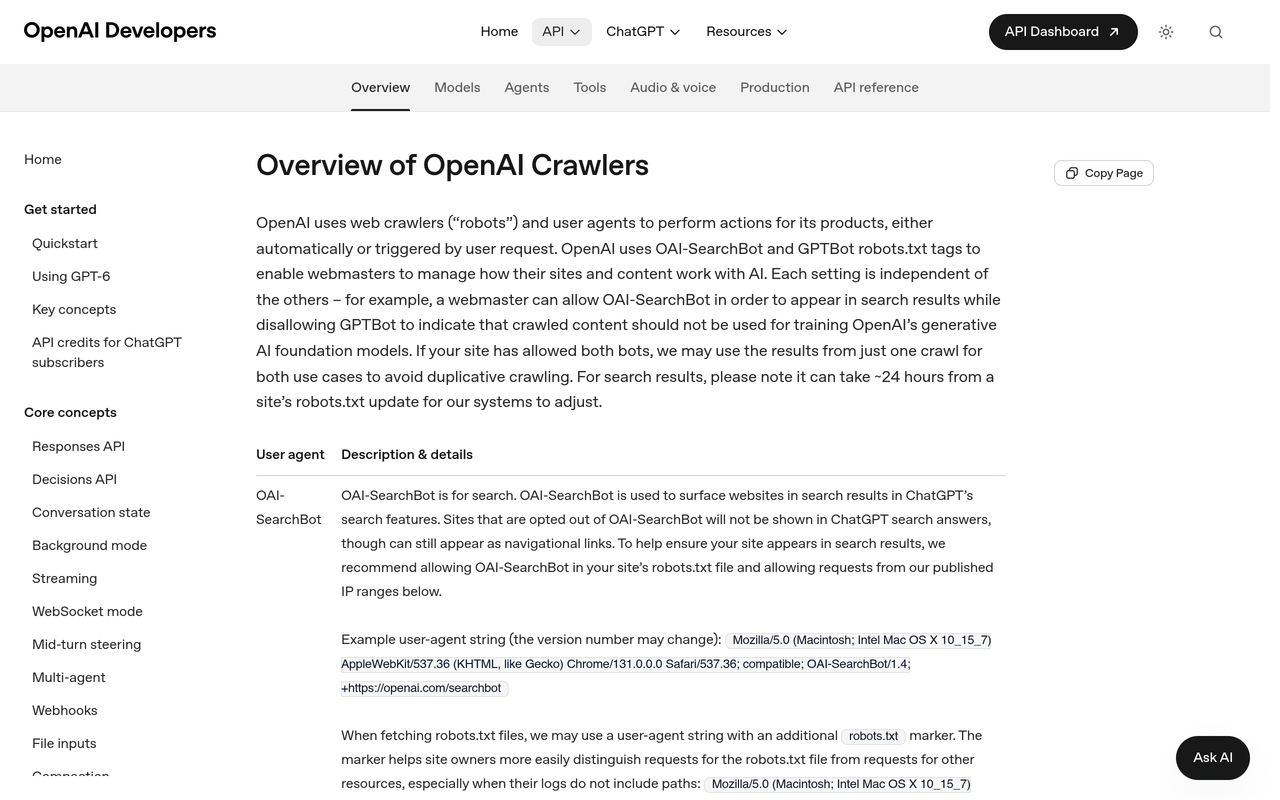
The mistake that causes most accidental blocking is treating "AI bot" as one thing. OpenAI's crawler documentation, as checked on 8 November 2026, lists separate user agents for separate jobs, including OAI-SearchBot, GPTBot, ChatGPT-User and OAI-AdsBot, each with its own published IP list. Anthropic splits its bots the same way, according to Search Engine Journal, February 2026: ClaudeBot for training, Claude-SearchBot for search indexing and Claude-User for fetches a user asks for.
| Traffic type | Examples | Does robots.txt reach it? | Default stance | What to check |
|---|---|---|---|---|
| Training crawler | GPTBot, ClaudeBot, Google-Extended | Yes, these are documented as honouring it | A business decision: allow or block | Robots.txt group exists; logs show the bot stops |
| Search crawler | OAI-SearchBot, Claude-SearchBot, PerplexityBot | Yes | Allow if you want to be cited | Not blocked at CDN; pages return 200 |
| User-triggered fetcher | ChatGPT-User, Claude-User, Google-Agent | Varies by vendor: see below | Allow; control with bot rules, not robots.txt | Fetches succeed for public pages |
| Agent acting as a customer | Browser agents using a customer's account | Not designed for it | Block, allow or serve per task | Login, checkout and form paths in logs |
The user-triggered row is where vendors differ. Search Engine Journal reports that OpenAI warns robots.txt rules may not apply to ChatGPT-User and that Perplexity says they generally do not apply to Perplexity-User, while Anthropic says all three of its bots, including Claude-User, honour robots.txt. Google is different again: per ppc.land, it added Google-Agent to its user-triggered fetchers list on 20 March 2026, and that category ignores robots.txt because a person requested the fetch.
Should I let AI agents crawl my website?
Work through the stance per type rather than as a yes or no. This is the decision list.
Stance 1: Allow search and user-triggered bots
If buyers ask ChatGPT, Claude or Perplexity for options in your category, the search and fetch bots are how your pages become candidates for the answer. Blocking them removes a route to being named. Anthropic warns that blocking Claude-SearchBot may reduce visibility in search results, as Search Engine Journal, February 2026 reports. Our guide to ChatGPT search and OAI-SearchBot covers how those citations show up.
What to check: robots.txt has no blanket Disallow: / under User-agent: * that you forgot about, your CDN is not challenging these bots, and your key pages return a 200 status without a login or script-only rendering.
Stance 2: Decide on training crawlers separately
Training bots collect content for model training. Blocking them is a legitimate choice and does not, by itself, remove you from search features, because those use different bots. Google also has a separate control: its common crawlers documentation, as checked on 8 November 2026, lists Google-Extended among the tokens you can address in robots.txt. For the wording, see our guide to Google AI training control in robots.txt and the AI Crawler Policy Kit.
What to check: after you add a Disallow group, watch the logs for a week. A bot that keeps fetching either ignores the rule or uses a different token than you wrote.
Stance 3: Choose block, allow or serve for agents that act as customers
| Stance | Real example | Fits when | Risk | What to check |
|---|---|---|---|---|
| Block | JPMorgan Chase, Charles Schwab, Delta, as reported by No Hacks | Money movement, regulated accounts, scarce inventory | You lose customers who delegate tasks | Bot rules fire on login and checkout; logs show blocks |
| Allow, no policy | Agent signs in as the customer | Never a deliberate choice | Agent and customer are indistinguishable in your data | Look for odd session patterns and speed |
| Serve | Walmart Agent Profiles | Repeat purchases, bookings, simple forms | Needs product and engineering work | Agent traffic is labelled and limits are enforced |
Walmart's own reasoning, quoted in the No Hacks piece, is that purchases by a customer and by an agent otherwise appear together without differentiation. That is a measurement problem as much as a security one. If you cannot tell the two apart, you cannot judge what agents are worth to you.
How do I stop an AI bot that robots.txt does not reach?
Robots.txt is a request. It works on bots that read it and choose to comply. When the bot is not documented as honouring it, or when it is an agent working inside a customer's session, use rules that sit in front of your site.
- Identify the bot by more than its name. User agent strings can be spoofed, a caution Google repeats in its documentation, per ppc.land. Match the user agent against the vendor's published IP list. OpenAI publishes JSON files for each bot, such as the one for ChatGPT-User.
- Prefer cryptographic identity where it exists. Cloudflare introduced signed agents, built on Web Bot Auth, so sites can allow or disallow agents apart from other verified bots. Cloudflare's documentation says that as of 1 July 2026 signed agents count as Verified, with a metadata field separating direct from intermediary access. Google noted experimentation with Web Bot Auth under the identity agent.bot.goog, according to ppc.land.
- Write the rule at the CDN or firewall. Allow search bots by verified identity, rate-limit unknown agents on login, checkout and search, and challenge or block on sensitive paths.
- Keep sensitive actions behind authentication. A rule on the public page does nothing once an agent holds a valid session.
Compliance is not guaranteed even when a bot is meant to comply. The publisher-tracking company TollBit found that about 15% of AI page-fetching agents in Europe reached URLs that robots.txt disallowed in the first half of 2026, according to i-scoop, October 2026. Treat that as one reported figure from one tracker, not a universal rate.
How do I see which AI agents visit my site?
Your server or CDN logs are the source of truth. Analytics tags miss most bots because they do not run JavaScript, and a robots.txt file tells you what you asked for, not what happened. Here is a one-hour method.
- Export seven days of raw access logs from your host or CDN. Keep the user agent, IP address, path, status code and timestamp.
- Search for the documented tokens. Filter case-insensitively for OAI-SearchBot, GPTBot, ChatGPT-User, ClaudeBot, Claude-SearchBot, Claude-User, PerplexityBot, Google-Agent and Google-Extended, plus any others you care about.
- Verify the IPs. Compare a sample of requests against each vendor's published IP file. Mark anything that claims a bot name from an unlisted address as suspect.
- Group by status code. A search bot that gets 403 or 429 on your key pages is blocked, whatever robots.txt says. OpenAI's documentation says robots.txt fetches may carry an extra marker in the user agent, so you can separate those requests from page requests.
- List the paths each bot type reaches. Training and search bots should hit articles and product pages. A fetcher on login, cart or account paths is the signal to write an agent rule.
- Record the result in a table with one row per bot: allowed or blocked by policy, observed behaviour, action.
A worked reading, using user agent strings OpenAI documents: a request containing ChatGPT-User/1.0 on one of your pricing pages means a person in ChatGPT asked something that led to that page being opened. A request containing OAI-SearchBot/1.4 is the search index crawler. Same vendor, different intent, and different consequences if you block it.
The free AI crawler checker shows whether GPTBot, OAI-SearchBot, ClaudeBot, PerplexityBot and Google AI can reach your site and generates a corrected robots.txt, which makes it a quick first test before you read logs. For why a site can look open yet still get blocked, see our post on checking and fixing a blocked ChatGPT agent.
What does "serve" mean in practice?
Serving an agent means removing friction for the tasks you want it to complete, and labelling the traffic so you can measure it. Cloudflare's data, reported by TechCrunch, July 2026, suggested over 50% of crawl traffic from AI crawlers is spent re-fetching unchanged pages. That is a reason to make serving cheap: stable URLs and accurate update dates cut wasted fetches.
- Make facts quotable. Put prices, specifications, opening hours and policies in plain HTML text, not only in images or scripts.
- Keep URLs stable and return honest last-modified dates so repeat fetches are cheap.
- Offer a machine-readable map. An llms.txt file lists your key pages for AI tools. Treat it as a low-cost signal, not a control, because no file format forces an engine to read it. The free llms.txt generator and validator builds one from your sitemap and checks every link in an existing file. See also our llms.txt guide.
- Use structured data for products, organisations and FAQs. Our schema generator builds the JSON-LD.
- For transactions, add an agent identity. Walmart's separate profile with a spending limit is the clearest published design: the agent is visible, linked to the customer and capped.
How to measure what agents do after you set the rules
A policy you cannot measure drifts. Three things need a number each week: which agents visit, what they fetch, and whether answers that cite you follow. Agent analytics is the name for the first two. It reads server logs and names the agent behind each request, as covered in our explainer on what agent analytics is.
Noma by Nurdd is an answer engine optimisation (AEO) and AI visibility platform. Its agent analytics shows which AI agents, such as GPTBot, ClaudeBot and PerplexityBot, read your site, from your server logs, and names the agent behind each request. Alongside that, Noma asks 13 AI engines, including ChatGPT, Gemini, Perplexity and Claude, your buyers' questions daily, so you can see whether crawl access is turning into mentions.
See it on your own brand: book a demo or start the 3-day free trial. A card is taken at signup so billing can start on day 3; cancel before then and nothing is charged.
Common mistakes with AI agent website access
- Blocking GPTBot and assuming ChatGPT has gone. Search and user fetches use other bots, per OpenAI's documentation.
- Copying a "block all AI" robots.txt snippet that also names search bots, then wondering why citations fall.
- Relying on robots.txt for agents. It does not govern user-triggered fetchers in Google's case, and vendors differ elsewhere.
- Trusting the user agent alone. Without IP or signature checks, a spoofed name looks identical to the real bot.
- Setting no policy for logged-in agents. You inherit the "allow, at the customer's risk" stance by default.
- Never rechecking. Vendors add bots, as Google did on 20 March 2026. Review the list quarterly.
Checklist: the policy in one page
- List your bot types and write one stance per type: block, allow or serve.
- Write robots.txt groups per token, not a single wildcard.
- Mirror the policy in CDN bot rules, using verified identity where available.
- Run the free crawler checker, then a seven-day log review.
- Fix any 403 or 429 on search bots, and any fetches of paths you meant to protect.
- Publish quotable facts and an llms.txt, and validate them.
- Set a weekly measure: agents seen, paths reached, mentions and citations gained.
How we researched this
We reviewed vendor documentation from OpenAI, Google Search Central and Cloudflare, trade coverage from Search Engine Journal, TechCrunch, ppc.land and i-scoop, and the No Hacks article that sparked this topic. Facts, dates and figures were checked on 2026-11-08. Vendor bot lists change often, so confirm user agents on each vendor's page before editing rules. We did not run our own crawler tests for this guide.
What to do next
Write the one-page policy this week, then verify it in your logs. If you want the logs read for you and tied to whether AI engines name your brand, book a demo or start the free trial.
See what AI engines say about your brand
Free · no account · or start a 3-day trial
Questions people ask
Should I let AI agents crawl my website?
Allow search and user-triggered bots if you want to be named in AI answers, because blocking them removes a route to citation. Treat training crawlers as a separate business decision. For agents that act as customers, choose block, allow or serve per task, and check the choice in your logs.
How do I see which AI agents visit my site?
Export raw server or CDN logs and filter for documented user agents such as OAI-SearchBot, GPTBot, ChatGPT-User, ClaudeBot and PerplexityBot. Verify a sample of IP addresses against each vendor's published list, then group by status code and path. Analytics scripts miss most bots, so logs are the reliable source.
Does robots.txt stop AI agents?
It stops bots that read and honour it, such as documented training and search crawlers. User-triggered fetchers are different: ppc.land reports Google's ignore robots.txt, and OpenAI warns the rules may not apply to ChatGPT-User. For those, use CDN or firewall rules.
If I block GPTBot, will ChatGPT stop citing my site?
Not necessarily. OpenAI lists GPTBot, OAI-SearchBot and ChatGPT-User as separate user agents with separate jobs. Blocking one does not block the others, so write a rule for each token you mean to control.
What is the difference between blocking, allowing and serving an AI agent?
Blocking refuses the agent, as JPMorgan Chase says it does. Allowing with no policy lets the agent use a customer's login at the customer's risk. Serving gives the agent a labelled route, such as Walmart's separate agent profile with a spending limit.
Do I need an llms.txt file to let AI agents in?
No. It is an optional list of your key pages, a low-cost signal rather than an access control. You can generate and validate one with Noma's free llms.txt tool.